
The wrist gives you warning before the problem gets worse.
If you spend long hours at the keyboard and mouse, the most useful thing is usually to lower the pressure on the hand, keep the wrist straight and take short breaks. Clinical evidence also reminds us that not every wrist pain at a screen is carpal tunnel, but there can be overload and similar symptoms when you repeat the same movements for a long time. (niams.nih.gov)
Red & infrared light
Recover faster, at home
★★★★★ 4,8/5 · rated by verified customers
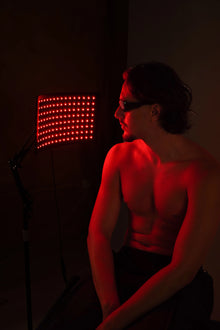
The KumoLux panel supports muscle recovery with full-body red and infrared light.
- 660 nm red + 850 nm infrared light
- Full-body muscle recovery
- Clinically validated biohacking protocols
€399,00€499,00
−10% on your 1st order when you subscribe to the newsletter

What really happens in the wrist
Carpal tunnel syndrome appears when the median nerve is compressed at the wrist. It usually causes tingling, numbness, pain or weakness in the thumb, index finger and middle finger, and it often bothers you more at night or when you wake up.
MedlinePlus notes that typing or mouse use has not been shown to be a direct cause, and the 2024 AAOS guideline states that there is no strong high- or moderate-quality evidence linking intensive keyboard use with carpal tunnel syndrome. Even so, working at a screen for hours can encourage sustained postures and other overuse conditions of the hand and forearm. (medlineplus.gov)
Personalized protocol · included with your purchase
Want us to tell you how to use it in your case?
With your purchase, our experts set up your red and infrared light sessions for your sport and goal.
Message us on WhatsAppOur experts reply · no obligation
If you notice the pain moving more toward the elbow or the forearm, you may be dealing with a different overload. In that case, it can also help to read how to calm forearm tension day to day. And if stress and the screen load up your neck and shoulders, the chain of discomfort may start higher than it seems.
What you can do today to unload the wrist
The goal is not to strain less for a few hours and then make up for it. The goal is for the wrist to work closer to its neutral position, with fewer hard contact points, less sustained flexion and more micro-breaks. The CDC recommends keeping the wrist as straight as possible while typing and using the mouse, avoiding hard edges where you rest, and taking frequent breaks. (cdc.gov)
Quick review of your workstation
| Adjustment | How to apply it | What it aims for |
|---|---|---|
| Neutral wrist | Type and move the mouse with the wrist as straight as possible, without bending it upward. | Reduces the forced posture and the pressure on the median nerve. |
| Separate mouse and keyboard | If you can, separate the keyboard and pointer from the laptop so you can place them where they do not force you to tuck the wrist. | Lets you adjust each part of the workstation to your body and not the other way around. |
| Soft support | Avoid resting forearms and wrists on hard, straight desk edges. | Lowers the localized pressure on the area. |
| Short breaks | Take brief breaks, change posture and move your hands and shoulders several times a day. | Reduces the sustained load and helps break up the repetition. |
In practice, a quick review of the desk usually makes the difference: screen at a comfortable distance, keyboard and mouse close to the body, and no wrists hanging in the air or resting on hard edges. MedlinePlus also recommends organizing the workspace to reduce strain and varying tasks whenever possible.
on your first order when you join the newsletter
We send you the code instantly. No spam.
If you also spend long hours gaming or editing while seated, the logic is the same for the whole chain of neck, wrist and legs. You can take that idea further with this routine for people who game sitting down for hours.
Exercises and breaks that usually help day to day
Exercises can help reduce the pressure on the median nerve, improve mobility and support changes in activity or the use of splints. The key is to do them without significant pain. If numbness gets worse or the exercise increases the pain, you should stop and ask for guidance. (orthoinfo.aaos.org)
Do not ignore pain.
- Wrist extension stretch: with the arm extended, gently bring the palm toward you until you feel tension on the inner side of the forearm. Hold for fifteen seconds and repeat five times on each side. (orthoinfo.aaos.org)
- Wrist flexion stretch: with the arm straight and the palm facing down, bend the wrist and bring the hand toward the body. Hold for fifteen seconds. If the tingling becomes uncomfortable, stop the exercise.
- Median nerve glides: run through the sequence of fist, finger spread, extended wrist, extended thumb and forearm rotation, always gently and without squeezing the thumb too hard.
- Tendon glides: with the wrist straight, open the hand, move into the hook position and then into a soft fist. The movement may pull a little, but it should not increase the pain.
NIOSH also insists on frequent breaks and changes of posture. Its research found less musculoskeletal discomfort when short five-minute breaks per hour were added to the usual breaks. You do not have to wait until it hurts to get up.
Splints, supports and accessories: when they make sense
Wrist splints are usually used to keep the wrist straight, normally at night. Some people also wear them during the day, but that decision has to be individualized. MedlinePlus and NHS services present them as support, not as the only solution.
- Use them to keep the wrist straight, especially when sleeping. (southtees.nhs.uk)
- Do not tighten them so much that they leave marks, pressure or an extra feeling of numbness.
- Stop using them if you notice more pain, more discomfort or a skin reaction such as redness or itching.
If the workstation keeps forcing the wrist, MedlinePlus mentions options such as split keyboards, keyboard trays, padded wrist rests and different types of mouse to improve typing posture. What matters is not the accessory itself, but that it lets you work with less flexion and less tension.
When the neck and shoulder are heavily loaded, the wrist tends to compensate. That is why it makes sense to look after that area too, with a protocol of rest and self-massage like the one we cover in trapezius tension from stress and screens.
When to see a doctor: signs that call for medical assessment
It is worth asking for a medical assessment if the tingling, pain or weakness appear frequently, if they get worse at night or if they already interfere with your normal activities or your sleep. MedlinePlus adds that you should also see a doctor if you lose sensation, drop objects or notice less muscle mass around the fingers.
It is also important to get checked if the exercises or the changes in posture do not improve the picture after a few weeks, or if the numbness keeps growing. The AAOS guideline itself recommends stopping if the exercise increases the pain or if the pain does not improve after three or four weeks, and talking to a professional.
- Tingling or numbness that no longer goes away.
- Weakness when gripping, clumsiness or a tendency to drop things.
- Night pain that wakes you up or spoils your rest. (mayoclinic.org)
- Loss of muscle mass at the base of the thumb or in the hand.
Frequently asked questions
What specific stretching exercises can help relieve carpal tunnel syndrome when you work at a computer?
The ones that fit best into a short routine are the wrist extension stretch, the wrist flexion stretch, median nerve glides and tendon glides. The AAOS program states that they should be done gently, with the wrist straight and without causing significant pain. If the exercise increases the tingling or makes the pain worse, you should drop it and review the plan.
How do you keep the wrists in a neutral, ergonomically correct position while typing and using the mouse to prevent carpal tunnel syndrome?
The most practical reference is to keep the wrist as straight as possible, with the elbows at a comfortable angle, the keyboard close to the body and the mouse beside it, not far away. The CDC also advises against resting wrists and forearms on hard edges and recommends separating the keyboard and pointer from the laptop whenever possible. If you have to bend the wrist upward, the workstation needs adjusting.
What signs or symptoms mean I need to take a break and adjust my workstation to avoid making carpal tunnel worse?
If you notice tingling, pain, numbness or weakness while typing, it is already time to stop and change something. It is also worth doing so if the symptom shows up at night, if holding objects is difficult or if the hand becomes clumsy. MedlinePlus and NIAMS describe exactly that pattern, with discomfort in the thumb, index finger and middle finger, and progressive worsening if the load is not corrected.
Which ergonomic devices or accessories are most useful for reducing pressure in the carpal tunnel when working at a screen?
The most useful ones are those that help you work with a neutral wrist. MedlinePlus mentions split keyboards, keyboard trays, padded wrist rests and different types of mouse, and the CDC points out that the keyboard and pointer should be positionable independently. A splint can serve as nighttime support if a professional recommends it for you.
Is it true that wearing splints or wrist supports while working at a computer can help or prevent carpal tunnel syndrome?
They can help as support, especially if they keep the wrist straight and do not force you to strain it more. MedlinePlus places them within initial treatment, usually at night, and some NHS services warn that they should not cause pain, more tingling or skin irritation. If that happens, it is best not to keep using them without a review.
So what now?
If you notice tingling, night pain or clumsiness when gripping objects, start with a simple review of your workstation, a short routine of breaks and gentle exercises. You can keep reading on the Kumo Balance website and widen the context with this guide for people who game sitting down for many hours or with a short mobility routine to feel looser.

Red & infrared light
KumoLux Panel – Red and Infrared LED Panel
★★★★★ 4,8/5 · rated by verified customers
- 660 nm red + 850 nm infrared light
- Full-body muscle recovery
- Clinically validated biohacking protocols
€399,00€499,00· pay in installments with seQura or Klarna